NodeTie

NodeTie is a Windows tray application for creating and opening deep links to local files and URLs. Conceptually similar to Hookmark but for Windows machines. A work in progress.
NodeTie is a Windows tray application for creating and opening deep links to local files and URLs. Conceptually similar to Hookmark but for Windows machines. A work in progress.
NodeTie is a Windows tray application for creating and opening deep links to local files and URLs.
The project is conceptually similar to Hookmark, but the implementation is Windows-specific and built around a custom winlink:// URI scheme.
Notes: This is my first vibe-coded project, so yeah, there's that. I have used this extensively, especially the dynamic file links pasted into Obsidian. I never had anything wrong going on with this. There is no need for internet or network in any way. I used it on my computer only, I have never linked to files that are on network drives, for example.
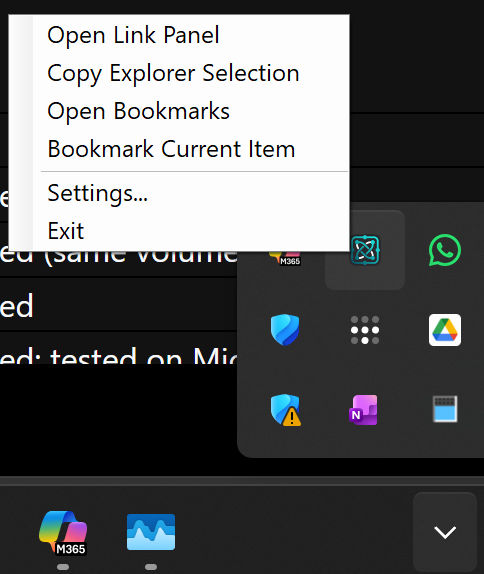
It shows on the icon tray like this. Most important here are the settings as most other things you just do with keyboard shortcuts.
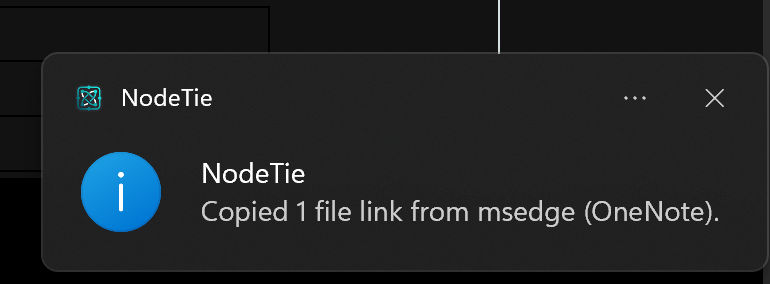
When you copy a file(s) (by selecting it/ them on Windows Explorer) or when Word, Excel or a Browser (will copy the URL) is in focus, this notification will pop up. You can then paste the link to Obsidian or OneNote, depending on your selection.
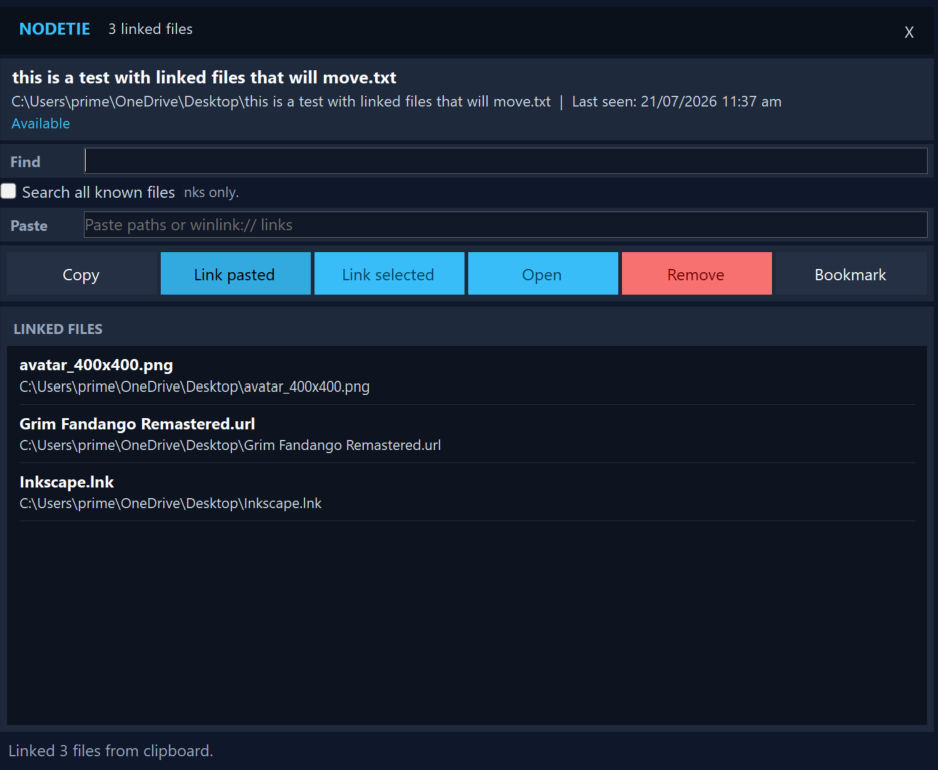
This is the link pop-up where you can see the files that are linked to the selected file. You can jump from one to the others. By default, this panel is invoked with CTRL-H.
Typical file links are path-based. If a file is moved, links can break.
NodeTie addresses this by encoding two values in generated links:
sid)When a deep link is opened, NodeTie can resolve by path first, then fall back to stable-ID-based lookup for moved files on the same volume.
The table below maps common Hookmark-style capabilities to NodeTie's current implementation.
| Hookmark-style capability | NodeTie implementation | Status |
|---|---|---|
| Copy link to current item | Global hotkey resolves active context and copies a winlink:// deep link |
Implemented |
| Durable links after file move | Link includes sid; resolver attempts stable-ID relocation |
Implemented (same volume) |
| Copy links from file manager selection | Explorer context supports selected-path collection and multi-copy | Implemented |
| Copy link from browser tab | Active browser URL capture and normalization (http, https, file) |
Implemented; tested on Microsoft Edge and Firefox |
| Copy link while editing Office document | Foreground-gated Office active context capture | Implemented for Word and Excel |
| Paste-ready note output | Obsidian markdown output and OneNote HTML/plain clipboard output | Implemented |
| Open deep links from notes | winlink:// protocol registration and decode/open handler |
Implemented |
| Related-items panel | Persisted undirected links and linked-files UI | Implemented |
| Bookmarking | Bookmark repository/service + bookmarks window | Implemented |
| Broad app integration matrix | Explorer + browser + Office active-context providers | Partial |
If path resolution fails, NodeTie attempts stable-ID resolution.
NodeTie can capture the active browser tab URL and generate link content for note tools.
Validated browsers: Microsoft Edge and Firefox.
When Word or Excel is the foreground app, NodeTie can capture the active document/workbook path and copy a deep link from that live editing context.
winlink:// links require NodeTie protocol registration on the machine opening the link, this is done through the installer.